In today’s digital world, audio content is everywhere — YouTube videos, podcasts, audiobooks, ads, games, and even social media reels. Creating professional sound used to require expensive studios and voice artists. But now, an AI sound generator is changing the game completely.
If you’ve ever wanted to create realistic voices, background music, or sound effects without recording anything yourself, this guide is for you. In this detailed article, I’ll explain what an AI sound generator is, how it works, its features, benefits, pricing, and the best alternatives available today.
Let’s dive in.
What is AI Sound Generator?
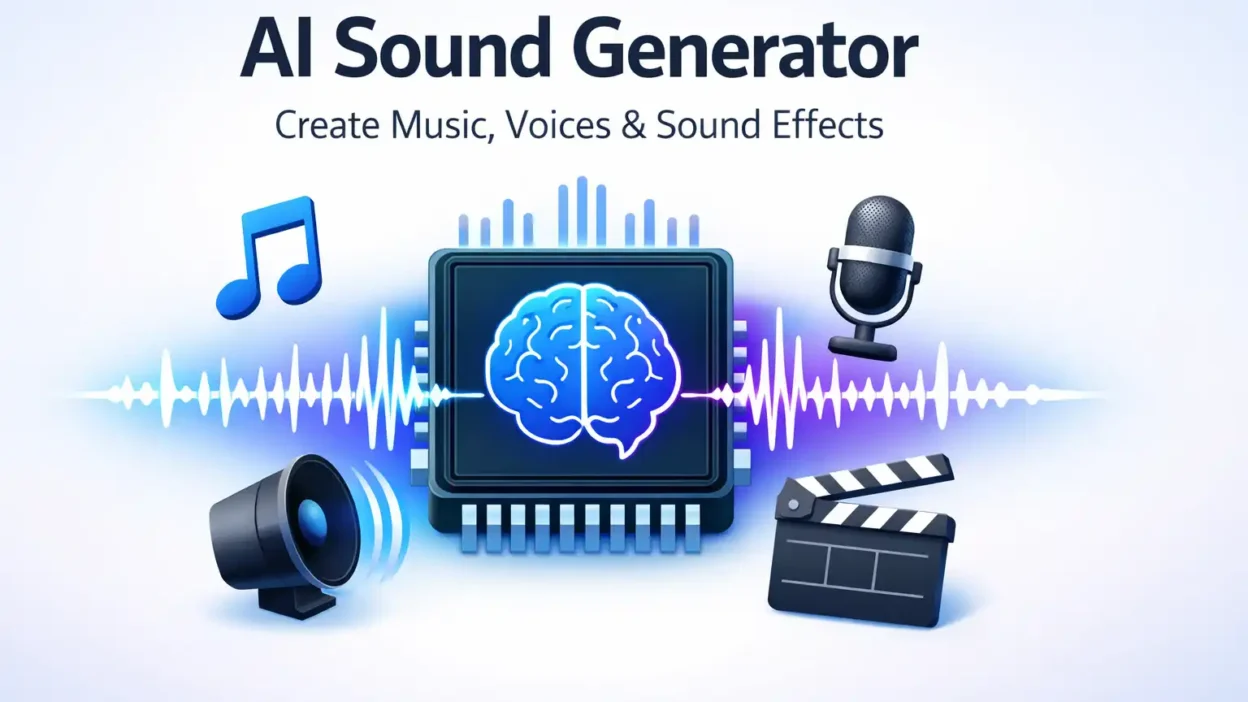
An AI sound generator is a smart software tool that uses artificial intelligence to create audio automatically. It can generate:
- Human-like voiceovers
- Music tracks
- Sound effects
- Ambient sounds
- AI singing voices
Instead of recording sound with a microphone, you simply type text or choose settings — and the AI creates the audio for you.
For example, if you write:
“Welcome to my YouTube channel”
The AI can turn that text into a natural human voice within seconds.
These tools use advanced technologies like:
- Text-to-Speech (TTS)
- Machine Learning
- Deep Learning
- Neural Networks
- Voice Cloning
The result? Fast, affordable, and scalable audio production.
Features of AI Sound Generator
Different tools offer different capabilities, but most AI sound generators include the following powerful features:
1. Realistic Text-to-Speech (TTS)
You can convert written text into natural-sounding speech. Many tools offer multiple accents and languages.
2. Multiple Voice Styles
Choose between:
- Male or female voices
- Different age tones
- Emotional tones (happy, serious, dramatic)
3. AI Voice Cloning
Some advanced platforms allow you to clone a real voice. This is useful for branding or consistent narration.
4. Music Generation
Create royalty-free background music for:
- YouTube videos
- Podcasts
- Ads
- Games
5. Sound Effects Creation
Generate realistic sound effects like:
- Rain
- Thunder
- City noise
- Footsteps
- Sci-fi sounds
6. Audio Customization
Adjust:
- Pitch
- Speed
- Tone
- Volume
7. Export Options
Download audio in MP3 or WAV formats for easy use.
How to Use AI Sound Generator
Using an AI sound generator is surprisingly simple. Here’s a beginner-friendly step-by-step guide:
Step 1: Choose a Tool
Select a reliable platform such as:
- Murf AI
- ElevenLabs
- Play.ht
- Soundraw
Step 2: Enter Your Text
Type the script you want to convert into audio.
Example:
“This is a demo of AI-generated sound.”
Step 3: Choose Voice Settings
Select:
- Language
- Accent
- Voice style
- Speed
Step 4: Generate Audio
Click generate. The AI processes your input and creates audio in seconds.
Step 5: Download and Use
Download the file and use it in:
- YouTube videos
- Online courses
- Apps
- Advertisements
That’s it — no microphone required.
Best Alternatives of AI Sound Generator
If you’re exploring options, here are some of the best AI sound generator tools available today:
1. ElevenLabs
- Extremely realistic voices
- Voice cloning
- Great for audiobooks and YouTube
2. Murf AI
- Business-friendly
- Presentation voiceovers
- Team collaboration features
3. Play.ht
- Large voice library
- Multiple languages
- Podcast-friendly
4. Soundraw
- Focused on AI music
- Royalty-free tracks
- Custom mood selection
5. Voicemod
- Real-time voice effects
- Ideal for gamers and streamers
Each tool has different strengths. Choose based on your needs — voiceover, music, or sound effects.
Pros and Cons
Like any technology, AI sound generators have advantages and limitations.
Pros
- Saves time
- Low cost compared to studios
- No recording equipment needed
- Multiple languages
- Scalable for businesses
- Ideal for content creators
Cons
- May sound slightly robotic in cheaper tools
- Advanced features require paid plans
- Ethical concerns with voice cloning
- Limited emotional depth in some voices
From my experience, premium tools sound almost human. But free tools sometimes lack natural flow.
Is AI Sound Generator Free or Paid?
Most AI sound generator platforms follow a freemium model.
Free Plan:
- Limited characters per month
- Watermarked audio
- Fewer voice options
Paid Plans:
- Unlimited generation
- High-quality export
- Commercial license
- Voice cloning access
Pricing usually ranges from:
- $10 to $50 per month depending on usage.
If you’re serious about YouTube automation, podcasting, or online courses, a paid plan is worth it.
However, beginners can start free to test the platform first.
FAQs About AI Sound Generator
1. Is AI sound generator legal to use?
Yes, it is legal. However, voice cloning must follow copyright and consent laws.
2. Can AI generate realistic human voices?
Yes. Advanced tools like ElevenLabs produce near-human quality voices.
3. Can I use AI-generated audio for YouTube monetization?
Yes, if the platform provides commercial rights.
4. Do I need technical skills to use it?
No. Most tools are beginner-friendly with simple dashboards.
5. Can AI create background music too?
Yes. Some tools specialize in AI music generation and royalty-free tracks.
Expert Tips for Better Results
Here are some practical insights I’ve learned:
- Write scripts in short sentences for natural speech.
- Use punctuation correctly. It affects voice pauses.
- Adjust speed slightly slower for professional narration.
- Always preview before downloading.
- Choose a voice that matches your brand tone.
For example, if you run a serious finance channel, avoid playful voices.
Who Should Use AI Sound Generator?
This tool is perfect for:
- YouTubers
- Podcasters
- Online teachers
- Digital marketers
- App developers
- Game creators
- Freelancers
Even small businesses can use it for customer support audio or ads.
The Future of AI Sound Technology
AI voice technology is improving rapidly. Soon we may see:
- Real-time AI dubbing
- Emotionally intelligent voices
- Multilingual instant translation
- Custom brand voices
The quality gap between human and AI audio is shrinking every year.
Conclusion
An AI sound generator is one of the most powerful tools for modern content creators. It saves time, reduces cost, and makes professional audio accessible to everyone.
Whether you need voiceovers, background music, or sound effects, AI can handle it in seconds. Beginners can start with free plans, while professionals can upgrade for commercial use.
If you’re building a YouTube channel, podcast, online course, or digital product — this tool can completely transform your workflow.
The future of audio creation is smart, fast, and AI-driven.

Elizabeth Gilbert is a celebrated American author known for exploring self-discovery, spirituality, and life’s deeper meanings. Her writings inspire readers to uncover the hidden messages in dreams, symbols, and personal journeys—perfectly aligning with the mission of DreamMaening.com.